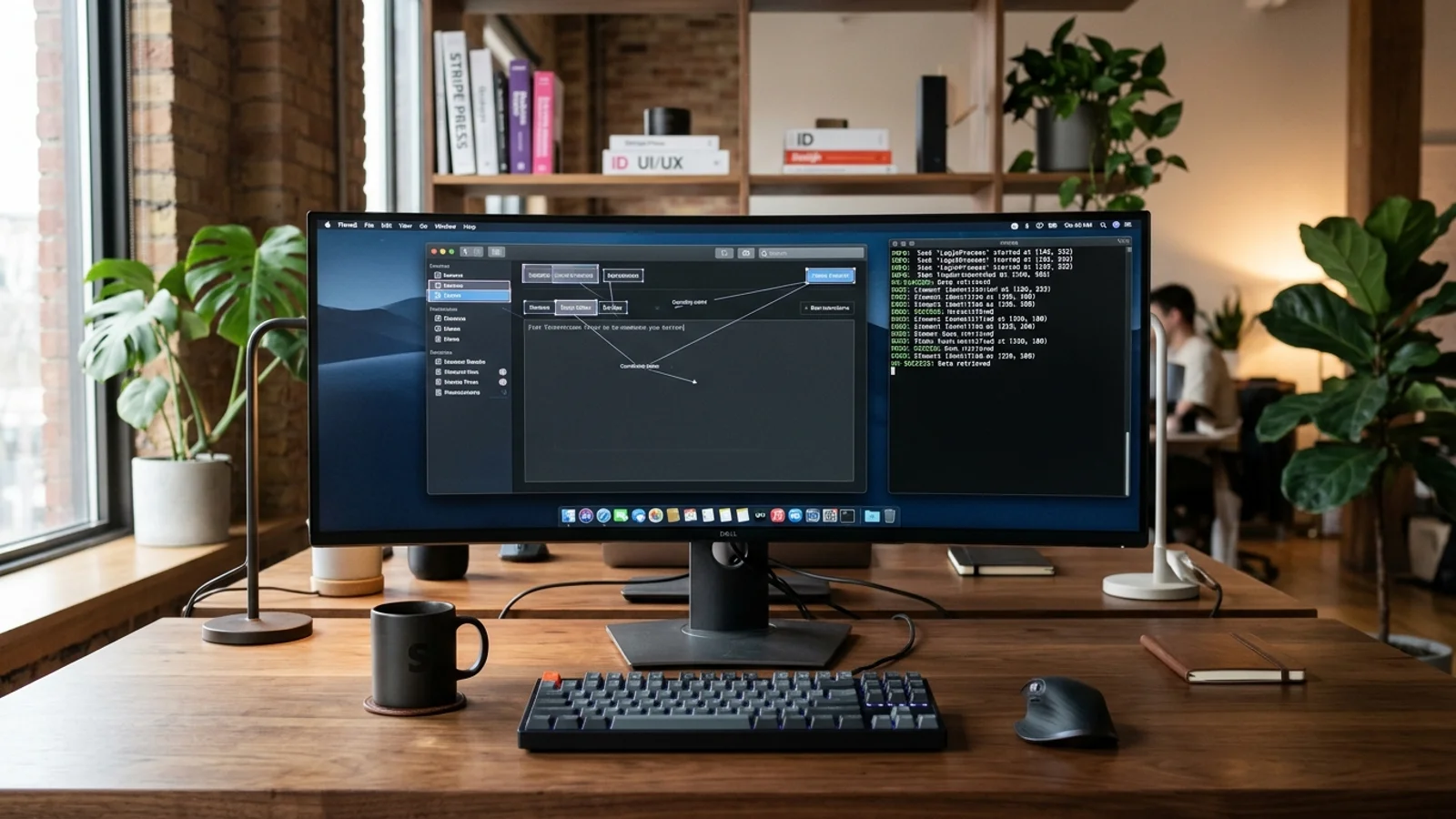
On 3 November 2026, the open-source AI community crossed a critical threshold: the official release of NorthCUA, an open-source suite of Computer-Using Agents (CUAs) that set new state-of-the-art benchmark records on OSWorld-Verified and WebArena-Verified, outperforming trillion-parameter proprietary giants like Qwen3.8-Max and Kimi-K3.
For the past two years, autonomous AI agents primarily operated through text-based tools: invoking REST APIs, querying SQL databases, and editing local code files. But the vast majority of human digital work does not take place in clean JSON payloads. It happens in Graphical User Interfaces (GUIs): navigating multi-step enterprise portals, tweaking parameters in desktop CAD and office suites, managing legacy client software, and reconciling data across applications that have no public APIs.
While frontier labs introduced early proprietary vision-action APIs (such as Anthropic's Claude 3.5 Computer Use), developers faced steep hurdles: prohibitive per-screenshot token costs, high latency, closed weights, and severe privacy concerns regarding streaming live employee screens to external cloud APIs.
NorthCUA breaks that monopoly by open-sourcing the entire stack: weights spanning Nano (9B), Mini (35B), and Pro (397B), a high-throughput NorthCUA-Ultrafast variant, the runtime Harness, and the Experience Flywheel training pipeline.
This guide provides an evidence-based technical evaluation of NorthCUA and the modern open-source Computer-Using Agent architecture. We examine how visual grounding operates, break down the normalized_1000 coordinate contract, analyze the joint desktop-web GRPO training pipeline, walk through a working sandboxed deployment, and evaluate enterprise safety boundaries.
[0, 1000] coordinate contract, an automated E2B sandboxed Experience Flywheel, and Group-Relative Policy Optimization (GRPO), NorthCUA enables private, self-hosted GUI automation without paying recurring per-screenshot token fees to closed cloud providers.---
1. What Are Computer-Using Agents (CUAs)?
To understand NorthCUA's breakthrough, we must first contrast API-Calling Agents with Computer-Using Agents (CUAs).
┌─────────────────────────────────────────────────────────────────────────────────────────┐
│                      API-BASED AGENT VS. COMPUTER-USING AGENT (CUA)                     │
├─────────────────────────────────────────────────────────────────────────────────────────┤
│                                                                                         │
│  API-BASED CODING / WORKFLOW AGENT:                                                     │
│  [Task: "Update CRM Status"] ──> [Structured JSON Tool Call] ──> [REST Endpoint / DB]   │
│  • Requires structured APIs, SDKs, and machine-readable data contracts                  │
│  • Fails completely on legacy software, desktop apps, and unexposed internal tools      │
│                                                                                         │
│  COMPUTER-USING AGENT (CUA - NorthCUA):                                                 │
│  [Task: "Update CRM Status"] ──> [Raw Screenshot Capture] ──> [Visual Grounding]        │
│                                                                      │                  │
│                                                                      ▼                  │
│  [Desktop OS / Browser] <── [Mouse Clicks, Keystrokes, Scroll] <── [Action Prediction]  │
│  • Operates exactly like a human user across ANY visual interface                       │
│  • Zero API requirements; interacts with native OS windows, desktop apps, and web DOM  │
│                                                                                         │
└─────────────────────────────────────────────────────────────────────────────────────────┘
A Computer-Using Agent operates in a closed perception-action loop:
- Perception: The agent captures a raw bitmap screenshot of the current virtual display.
- Grounding: The vision-language model parses the image, identifying buttons, input fields, dropdown menus, and text labels.
- Reasoning: Based on the user's high-level goal and previous action history, the model plans the next logical step.
- Action Emission: The model emits a discrete GUI primitive:
click(x, y),type(text),key_down(key),scroll(dx, dy), orwait(). - Execution: The execution runtime converts the predicted action into native operating system events (via X11, Wayland, or Windows API) and waits for the screen to settle before capturing the next frame.
---
2. The NorthCUA Architecture: The Three Core Pillars
NorthCUA's ability to outperform larger models stems from a tightly coupled three-part system:
┌─────────────────────────────────────────────────────────────────────────────────────────┐
│                               NORTHCUA SYSTEM ARCHITECTURE                              │
├──────────────────────────────┬────────────────────────────┬─────────────────────────────┤
│ 1. THE HARNESS               │ 2. EXPERIENCE FLYWHEEL     │ 3. STAGED LEARNING & GRPO   │
├──────────────────────────────┼────────────────────────────┼─────────────────────────────┤
│ • `normalized_1000` contract │ • Automated task mining    │ • Visual grounding SFT      │
│ • Coordinate translation     │ • E2B sandboxed execution  │ • Trajectory curation       │
│ • State context compaction   │ • Trajectory verification  │ • Joint desktop-web GRPO    │
│ • Native OS event injection  │ • Recursive skill evolution│ • Critic-free optimization  │
└──────────────────────────────┴────────────────────────────┴─────────────────────────────┘
Pillar 1: The Harness & the `normalized_1000` Contract
In early computer-use experiments, models frequently failed due to screen resolution mismatches. If an agent was trained on 1920x1080 screenshots but deployed on a 1440p or 4K monitor, pixel coordinate predictions drifted, causing clicks to land a few millimeters away from target buttons.
NorthCUA solves this with the `normalized_1000` coordinate contract:
- All visual grounding and mouse actions are strictly expressed as integers in the range
[0, 1000]. - Top-left is
(0, 0); bottom-right is(1000, 1000). - The NorthCUA Harness dynamically maps normalized values to the active screen resolution at runtime:
$$\text{Pixel}_X = \text{round}\left(\frac{X_{\text{norm}}}{1000} \times \text{Width}_{\text{real}}\right)$$
$$\text{Pixel}_Y = \text{round}\left(\frac{Y_{\text{norm}}}{1000} \times \text{Height}_{\text{real}}\right)$$
This mathematical abstraction ensures the model's visual reasoning remains completely invariant to display scaling, DPI, and window aspect ratios.
---
Pillar 2: The Experience Flywheel & E2B Sandboxes
High-quality desktop interaction data is notoriously difficult to collect. Scraping web text is trivial; recording humans solving thousands of complex, multi-step desktop tasks with ground-truth validation is extraordinarily expensive.
NorthCUA created the Experience Flywheel:
- Task Synthesis: The flywheel generates diverse, executable user intents across desktop applications (LibreOffice, VS Code, GIMP, Thunderbird) and complex web portals.
- Sandboxed Execution: Trajectories are executed inside isolated E2B cloud sandboxes equipped with virtual displays (Xvfb) and deterministic verification hooks.
- Outcome-Based Filtering: The harness programmatically verifies whether the task succeeded (e.g., inspecting the generated spreadsheet cell value, checking file hashes, or querying database state).
- Trajectory Distillation: Only verified, successful trajectories are fed into the training corpus, filtering out clumsy exploratory steps and human hesitation pauses.
---
Pillar 3: Staged Learning & Joint Desktop-Web GRPO
Instead of relying solely on Supervised Fine-Tuning (SFT), NorthCUA implements a three-stage learning curriculum:
- Stage 1 (Grounding Mid-Training): The base Qwen3.5 vision-language model is trained on millions of UI element detection tasks, learning to predict bounding boxes and center-point coordinates for text, icons, and interactive widgets.
- Stage 2 (Long-Horizon Trajectory SFT): The model is trained on curated multi-step workflows, learning to maintain state context across 50+ consecutive action turns.
- Stage 3 (Group Relative Policy Optimization - GRPO): Borrowing the reinforcement learning strategy popularized by DeepSeek, NorthCUA applies joint desktop-web GRPO.
Why GRPO Matters for Computer Use
Traditional RLHF methods (like PPO) require training a separate Critic (Value) model that is as large as the actor model, doubling GPU memory requirements.
GRPO eliminates the critic network entirely:
- For a given desktop state, the model generates a group of $G$ candidate action trajectories $\{o_1, o_2, \dots, o_G\}$.
- The E2B harness evaluates each trajectory and assigns a verifiable reward $r_i$ based on task completion metrics.
- The baseline reward is calculated as the mean and standard deviation of the group:
$$A_i = \frac{r_i - \text{mean}(r)}{\text{std}(r)}$$
- The policy is updated by rewarding trajectories that achieved higher-than-average task outcomes, allowing the model to self-correct and discover optimal, shortest-path clicking sequences without human intervention.
---
3. Benchmark Deep Dive: OSWorld-Verified & WebArena
To measure real-world competence, Computer-Using Agents are evaluated on rigorous, standardized benchmark environments rather than synthetic multiple-choice tests.
┌─────────────────────────────────────────────────────────────────────────────────────────┐
│                    OSWORLD-VERIFIED BENCHMARK PERFORMANCE COMPARISON                    │
├──────────────────────────────┬──────────────┬──────────────┬────────────────────────────┤
│ MODEL / AGENT                │ PARAMETERS   │ OPEN / CLOSED│ OSWORLD-VERIFIED SUCCESS   │
├──────────────────────────────┼──────────────┼──────────────┼────────────────────────────┤
│ Qwen3.8-Max (Closed API)     │ ~1.2T (MoE)  │ Closed Cloud │ 38.4%                      │
│ Kimi-K3 (Closed API)         │ ~1.0T (MoE)  │ Closed Cloud │ 41.2%                      │
│ Claude 3.5 Sonnet (CUA)      │ Unreleased   │ Closed Cloud │ 44.8%                      │
│ ──────────────────────────── │ ──────────── │ ──────────── │ ────────────────────────── │
│ NorthCUA-Nano                │ 9B           │ Open Source  │ 26.5%                      │
│ NorthCUA-Mini                │ 35B          │ Open Source  │ 36.1%                      │
│ NorthCUA-Pro                 │ 397B         │ Open Source  │ 45.7% (NEW OPEN SOTA)      │
└──────────────────────────────┴──────────────┴──────────────┴────────────────────────────┘
Understanding OSWorld
OSWorld is the premier benchmark for multimodal desktop agents:
- It tests agents on realistic, multi-application tasks in an authentic Ubuntu Linux desktop environment.
- Example tasks include: *"In LibreOffice Calc, filter the sales sheet for Q3, calculate the median margin, and email the resulting chart to the finance team using Thunderbird."*
- Success is not evaluated by intermediate token matching; it is strictly evaluated by environment state assertions (e.g., does the email exist in the outbox? Is the formula in cell E14 correct?).
Why NorthCUA-Pro Outperformed Closed Models
- Direct Coordinate Precision: Trillion-parameter generalist models often treat visual coordinates as secondary text tokens. NorthCUA's grounding mid-training and
normalized_1000contract give it sub-pixel visual alignment. - Action-Space Density: NorthCUA-Pro was trained directly on operating system event streams, allowing it to execute compound keyboard shortcuts (
Ctrl+Shift+P,Alt+Tab) rather than fumbling through nested graphical menus. - GRPO Error Recovery: When a dialog box appears unexpectedly or an application takes longer to render, GRPO-trained policies learn to emit
wait()or dismiss modal overlays rather than repeatedly clicking stale coordinates.
---
4. Hands-On: Setting Up and Running NorthCUA in a Sandbox
Because Computer-Using Agents have active control over keyboard and mouse events, they must never be executed directly on a bare-metal developer workstation.
Below is a verified implementation showing how to deploy NorthCUA inside an isolated Docker container with a virtual X11 display (Xvfb) and an action execution loop.
┌─────────────────────────────────────────────────────────────────────────────────────────┐
│                             SANDBOXED CUA RUNTIME PIPELINE                              │
├─────────────────────────────────────────────────────────────────────────────────────────┤
│                                                                                         │
│   ┌─────────────────────────────────────────────────────────────────────────────────┐   │
│   │ ISOLATED DOCKER CONTAINER / E2B MICROVM                                         │   │
│   │ • Virtual Display: Xvfb running on :99 (1920x1080x24)                           │   │
│   │ • Window Manager: Fluxbox / Openbox                                             │   │
│   │ • Applications: Chromium, VS Code, LibreOffice, Terminal                        │   │
│   │ • Action Executor: `xdotool` / `pyautogui` listening on local socket           │   │
│   └────────────────────────────────────────┬────────────────────────────────────────┘   │
│                                            │                                            │
│                 1. Capture Frame (scrot)   │   2. Execute Action (click/type)           │
│                                            ▼                                            │
│   ┌─────────────────────────────────────────────────────────────────────────────────┐   │
│   │ NORTHCUA AGENT CONTROLLER (Python / vLLM / Ollama)                              │   │
│   │ • Normalizes screenshot to RGB tensor                                           │   │
│   │ • Predicts next GUI action formatted in JSON                                    │   │
│   │ • Translates `normalized_1000` coordinates to physical pixel space              │   │
│   └─────────────────────────────────────────────────────────────────────────────────┘   │
│                                                                                         │
└─────────────────────────────────────────────────────────────────────────────────────────┘
Step 1: Docker Sandbox Configuration
Create an isolated environment with a headless X11 display:
# Dockerfile: Headless Desktop Sandbox for NorthCUA
FROM ubuntu:24.04

ENV DEBIAN_FRONTEND=noninteractive
ENV DISPLAY=:99

# Install virtual display, window manager, and GUI automation utilities
RUN apt-get update && apt-get install -y \
    xvfb \
    fluxbox \
    xdotool \
    scrot \
    python3 \
    python3-pip \
    chromium-browser \
    && rm -rf /var/lib/apt/lists/*

WORKDIR /app
COPY requirements.txt .
RUN pip3 install --no-cache-dir -r requirements.txt --break-system-packages

COPY entrypoint.sh .
RUN chmod +x entrypoint.sh

ENTRYPOINT ["./entrypoint.sh"]
Step 2: The Action Execution Loop
Below is a production-grade Python controller that interfaces with NorthCUA's model API, captures frames, normalizes coordinates, and executes actions safely:
# controller.py: Autonomous GUI loop interfacing with NorthCUA
import os
import time
import json
import subprocess
from PIL import Image
import requests

DISPLAY_WIDTH = 1920
DISPLAY_HEIGHT = 1080
MODEL_ENDPOINT = "http://localhost:8000/v1/chat/completions"

def capture_screenshot(output_path="/tmp/screen.png"):
    """Capture current virtual X11 display frame."""
    subprocess.run(["scrot", "-z", output_path], check=True)
    return Image.open(output_path)

def normalize_to_pixel(norm_x: int, norm_y: int):
    """Convert normalized_1000 coordinates to actual display pixels."""
    pixel_x = int((norm_x / 1000.0) * DISPLAY_WIDTH)
    pixel_y = int((norm_y / 1000.0) * DISPLAY_HEIGHT)
    return pixel_x, pixel_y

def execute_action(action: dict):
    """Translate NorthCUA action schema into native OS events via xdotool."""
    act_type = action.get("action")

    if act_type == "click":
        px, py = normalize_to_pixel(action["x"], action["y"])
        subprocess.run(["xdotool", "mousemove", str(px), str(py), "click", "1"], check=True)
        print(f"[ACTION] Left click at normalized ({action['x']}, {action['y']}) -> pixel ({px}, {py})")

    elif act_type == "type":
        text = action.get("text", "")
        subprocess.run(["xdotool", "type", "--delay", "50", text], check=True)
        print(f"[ACTION] Typed: {text}")

    elif act_type == "key":
        key_comb = action.get("key", "")
        subprocess.run(["xdotool", "key", key_comb], check=True)
        print(f"[ACTION] Pressed key: {key_comb}")

    elif act_type == "scroll":
        direction = action.get("direction", "down")
        button = "5" if direction == "down" else "4"
        subprocess.run(["xdotool", "click", button], check=True)
        print(f"[ACTION] Scrolled {direction}")

    elif act_type == "wait":
        duration = action.get("seconds", 2)
        time.sleep(duration)
        print(f"[ACTION] Waited {duration}s")

def run_cua_task(user_goal: str, max_steps: int = 30):
    """Main execution loop for Computer-Using Agent."""
    print(f"[TASK INITIALIZED] Goal: {user_goal}")

    for step in range(1, max_steps + 1):
        screenshot = capture_screenshot()

        # In real deployments, format screenshot as base64 and payload to NorthCUA API
        # Model returns JSON action: {"action": "click", "x": 482, "y": 312, "thought": "Click search bar"}
        response = query_northcua_model(screenshot, user_goal, step)

        if response.get("action") == "finish":
            print(f"[TASK COMPLETE] Agent declared finish at step {step}")
            break

        execute_action(response)
        time.sleep(1.0) # Settle display buffer before next frame
---
5. Security & Zero-Trust Desktop Sandboxing
Granting an AI model autonomous control over keyboard and mouse actions introduces severe security risks. If an agent encounters an unexpected phishing pop-up or prompt injection payload on a webpage, a hallucinated click can cause irreversible damage.
┌─────────────────────────────────────────────────────────────────────────────────────────┐
│                         ZERO-TRUST CUA SANDBOXING ARCHITECTURE                          │
├──────────────────────────────┬────────────────────────────┬─────────────────────────────┤
│ 1. DISPLAY CONFINEMENT       │ 2. NETWORK ALLOWLISTING    │ 3. CREDENTIAL ISOLATION     │
├──────────────────────────────┼────────────────────────────┼─────────────────────────────┤
│ • Virtual display (Xvfb) only│ • Block open internet DNS  │ • Zero host credentials     │
│ • No access to host display  │ • Whitelist explicit target│ • Ephemeral session tokens  │
│ • Pointer boundary clamps    │   domains via egress proxy │ • Destroy VM upon completion│
└──────────────────────────────┴────────────────────────────┴─────────────────────────────┘
The Three Golden Rules of CUA Safety
- Never Share the Host X11/Wayland Socket: Never mount
/tmp/.X11-unixfrom your host operating system into the agent container. If the agent runs on your primary display, it can click into open Slack windows, terminal sessions, or password managers. Always run the agent on an isolated, virtual X11 server (Xvfb :99). - Enforce Strict Egress Proxy Rules: In desktop web automation, the agent should only navigate to pre-authorized domains. Configure an egress proxy (like Squid or Envoy) to prevent the agent from accidentally navigating to malicious third-party links or exfiltrating data.
- Financial & Administrative Hardstops: If an automation task involves payment flows, user deletions, or administrative settings, configure human-in-the-loop checkpoints. When the model detects confirmation buttons containing terms like *"Pay"*, *"Purchase"*, or *"Delete Organization"*, the harness must freeze execution and demand cryptographic developer approval.
---
6. Decision Matrix: Open CUAs vs. Closed APIs vs. Headless DOM
When architecting automation in 2026, engineering teams must choose between three distinct paradigms:
┌─────────────────────────────────────────────────────────────────────────────────────────┐
│                                 AUTOMATION PARADIGM MATRIX                              │
├─────────────────────────┬────────────────────────┬──────────────────────────────────────┤
│ PARADIGM                │ BEST FOR               │ TRADE-OFFS & DRAWBACKS               │
├─────────────────────────┼────────────────────────┼──────────────────────────────────────┤
│ Headless DOM Automation │ Web apps with stable   │ Extremely brittle; breaks completely │
│ (Playwright / Puppeteer)│ selectors; CI testing  │ on canvas, desktop software, & CAPTCHA│
├─────────────────────────┼────────────────────────┼──────────────────────────────────────┤
│ Closed CUA APIs         │ Fast prototyping; zero │ High token costs; screenshot privacy │
│ (Claude 3.5 Computer Use│ infra management       │ concerns; vendor lock-in             │
├─────────────────────────┼────────────────────────┼──────────────────────────────────────┤
│ Open-Source CUAs        │ Self-hosted desktop;   │ Requires GPU serving infra (vLLM);   │
│ (NorthCUA Family)       │ enterprise privacy; RPA│ requires sandboxed microVM management│
└─────────────────────────┴────────────────────────┴──────────────────────────────────────┘
---
7. The 8-Point Production Deployment Checklist
Before deploying NorthCUA or any Computer-Using Agent into production enterprise workflows, verify these eight operational gates:
┌─────────────────────────────────────────────────────────────────────────────────────────┐
│                       CUA PRODUCTION DEPLOYMENT CHECKLIST                               │
├────┬─────────────────────────────────┬──────────────────────────────────────────────────┤
│ #  │ OPERATIONAL ITEM                │ VERIFICATION CRITERIA                            │
├────┼─────────────────────────────────┼──────────────────────────────────────────────────┤
│ 01 │ Sandboxed Virtual Display       │ Runs in isolated Xvfb/Docker; no host display.   │
│ 02 │ Coordinate Clamping             │ normalized_1000 properly scaled to real pixels.  │
│ 03 │ Step Limit & Timeout Guards     │ Hardstop enforced (e.g., max 50 steps / 5 mins). │
│ 04 │ Egress Network Isolation        │ Outbound traffic restricted to verified domains. │
│ 05 │ Zero Master Credentials         │ No host ~/.ssh or ~/.aws mounted in container.   │
│ 06 │ High-Value Action Intercepts    │ Deletion and purchase actions require approval.  │
│ 07 │ Settle Time Calibration         │ Minimum 500ms delay between actions for renders. │
│ 08 │ Ephemeral State Recycling       │ Container/VM destroyed and rebuilt per session.  │
└────┴─────────────────────────────────┴──────────────────────────────────────────────────┘- Sandboxed Virtual Display: Confirm the execution harness runs exclusively within a virtual framebuffer (
Xvfb), completely isolated from host monitors. - Coordinate Clamping: Ensure the coordinate translator clamps values between
0andDisplayWidth - 1to prevent out-of-bounds pointer crashes. - Step Limit Guards: Enforce a hard ceiling on total steps per mission (typically 30–50 turns) to prevent infinite clicking loops when pages fail to load.
- Network Whitelisting: Route all container traffic through an egress filtering proxy that drops non-whitelisted destinations.
- No Host Secret Mounting: Audit container volume mounts to guarantee no local user directories or SSH keys are exposed to the virtual environment.
- Critical Action Intercepts: Implement pattern-matching filters that trigger human approval on high-consequence buttons.
- Display Settle Calibration: Allow at least 500ms–1000ms after clicks and keystrokes for animations and network requests to paint before capturing the next frame.
- Ephemeral Container Recycling: Automatically terminate and wipe the container filesystem after each job, ensuring no persistent state or malware survives across tasks.
---
Conclusion: The Era of Open Desktop Intelligence
The open-source release of NorthCUA on 3 November 2026 marks a decisive milestone in the evolution of artificial intelligence. By demonstrating that an open-source model trained with Group-Relative Policy Optimization (GRPO) and a normalized coordinate contract can outperform monolithic closed APIs on OSWorld, NorthCUA proves that desktop agency is no longer the exclusive domain of proprietary frontier labs.
For developers and enterprises, this transition unlocks immense possibilities: building self-hosted desktop assistants, automating legacy software without API access, and scaling UI regression testing—all while retaining complete ownership of data, infrastructure, and privacy.
The future of automation belongs to agents that see, understand, and interact with software the way humans do. With open-source Computer-Using Agents, that future is now in every developer's hands.
---
*Explore related AI engineering roadmaps and security deep-dives on Pathubs: learn about AI Agent Memory Architecture, inspect CI/CD for Coding Agents with Dagger 1.0, or explore the Full-Stack Development Roadmap.*