On 21 October 2026, the official PHP development team published synchronized, critical security releases across all actively maintained release branches. These updates remediate two high-impact vulnerabilities in the core PHP runtime: CVE-2026-109618 and CVE-2026-109619.
Both flaws carry a Common Vulnerability Scoring System (CVSS v3.1) score of 9.2 (Critical). National and regional cybersecurity authorities, including the Indian Computer Emergency Response Team (CERT-In Advisory CIAD-2026-0052) and the European Union Cybersecurity Agency (CERT-EU Security Advisory 2026-018), immediately issued advisories classifying the incident as requiring immediate operational remediation. Cybersecurity research firm Wiz, which contributed to the discovery and disclosure process alongside frontier AI vulnerability analysis workflows, documented the attack chain under the research title PHP2Shell.
Crucially, this vulnerability resides in the compiled C runtime of PHP itself—the execution engine powering PHP-FPM, Apache mod_php, and CLI service workers—rather than in an individual web application, CMS plugin, or userland script.
If your organization hosts, operates, or manages web applications written in PHP—including custom enterprise backends, Laravel microservices, or Content Management Systems such as WordPress, Drupal, and Joomla—your systems may be exposed. This guide provides an evidence-based technical breakdown of what happened, explains which versions are affected, dispels common misconceptions regarding CMS plugins, and walks through a safe, defensive eight-step patching workflow.
---
1. What Is PHP2Shell? Root Causes and Vulnerability Analysis
The moniker PHP2Shell is an industry research name coined by security researchers to describe the exploitation potential of the two interrelated core PHP runtime vulnerabilities. It is not a separate piece of malware, a trojanized dependency, or an altered PHP fork; rather, it describes how an unauthenticated network request can compromise the PHP runtime interpreter to yield an interactive command shell on the hosting server.
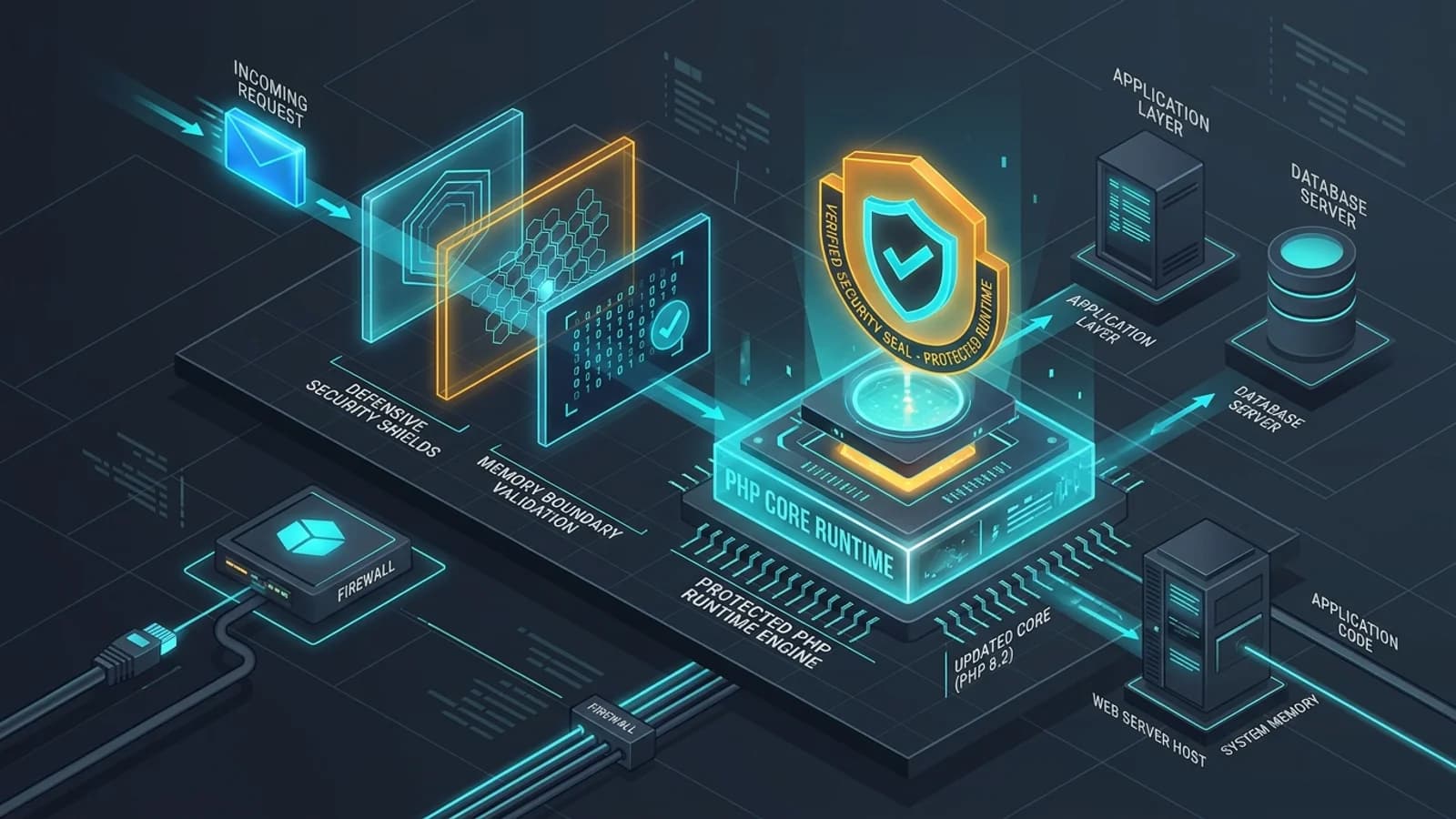
To understand the mechanics, we must examine what happens when an HTTP request reaches a standard modern PHP stack.
┌────────────────────────────────────────────────────────────────────────────────────────┐
│                        HTTP REQUEST TO PHP RUNTIME ARCHITECTURE                        │
├─────────────────────┬───────────────────────────┬──────────────────────────────────────┤
│ 1. EDGE / PROXY     │ 2. WEB SERVER             │ 3. CORE RUNTIME (VULNERABILITY)      │
├─────────────────────┼───────────────────────────┼──────────────────────────────────────┤
│ Client Browser      │ Nginx / Apache / Caddy    │ PHP-FPM Master / Worker Pool         │
│   │                 │   │                       │   │                                  │
│   ▼                 │   ▼                       │   ▼                                  │
│ [POST /upload.php] ─┼─► [FastCGI pass over IPC] ┼─► [Zend Memory Allocator (ZMM)]      │
│                     │                           │   ├── Multipart Boundary Parser      │
│                     │                           │   │   └─► CVE-2026-109618 (Overflow) │
│                     │                           │   └── String Lifecycle & Deserializer│
│                     │                           │       └─► CVE-2026-109619 (Type Conf)│
└─────────────────────┴───────────────────────────┴──────────────────────────────────────┘
The underlying flaws manifest during the earliest stages of HTTP request parsing and variable lifecycle management inside the Zend Engine:
CVE-2026-109618: Heap-Based Buffer Overflow in Multipart Request Parsing
During the parsing of complex, nested HTTP POST request bodies—specifically those containing structured multipart/form-data payloads with deeply nested field boundaries—the core PHP input filter computes buffer sizes using internal 32-bit signed integers. When presented with crafted chunked sequences and malformed boundary headers, an integer wrap occurs during buffer reallocation.
This calculation error causes the Zend memory allocator (ZMM) to allocate a heap buffer significantly smaller than the incoming byte stream. As the parser copies subsequent header tokens, it writes beyond the allocated chunk boundary, corrupting adjacent zval (Zend value) memory structures and function pointer lookup tables. An unauthenticated attacker can control these corrupted pointers to hijack process execution flow.
CVE-2026-109619: Type Confusion in String Deserialization and Lifecycle Management
The companion vulnerability, CVE-2026-109619, stems from a type confusion vulnerability in the internal garbage collection and string deduplication tables used by PHP during long-lived FastCGI request cycles. When handling serialized structures or dynamic variable assignments under concurrent execution, the engine fails to enforce strict type consistency before resolving variable reference counters (refcount).
An attacker manipulating serialized payloads or crafted parameters can trick the Zend VM into treating a pointer to an internal hash table (zend_array) as a plain string memory buffer (zend_string), establishing a reliable write-what-where primitive. In combination with the heap corruption from CVE-2026-109618, this primitive provides a pathway to bypass operating system memory mitigations (such as Address Space Layout Randomization, or ASLR) and execute arbitrary machine code with the privileges of the web server worker (typically the www-data, nginx, or apache user).
Potential Impact vs. In-The-Wild Reality
The potential severity is high: arbitrary Remote Code Execution (RCE) enables an attacker to read local files (including database configuration and credentials in wp-config.php or .env), write backdoor web shells into public directories, or pivot laterally into private internal networks.
However, technical accuracy requires a calm, empirical distinction between potential impact and confirmed exploitation:
- Prior to Disclosure: The vulnerabilities were identified through coordinated research and reported directly to the PHP security team under responsible disclosure guidelines. There was no evidence of active zero-day exploitation in the wild prior to the 21 October 2026 patch release.
- Exploitation Complexity: While categorized with a CVSS score of 9.2, building a universal exploit across arbitrary Linux distributions is non-trivial. Exploitation reliability depends on specific compiler flags, memory layout, glibc versions, and whether the target deployment enforces strict seccomp or AppArmor boundaries.
- Post-Disclosure Risk: Now that the patches have been made public and the diffs analyzed across GitHub and security communities, proof-of-concept exploits and automated scanning swarms are inevitable. Immediate patching is mandatory.
---
2. Which PHP Versions Are Affected? (The Version Matrix)
The PHP Group released synchronized security patches across all active branches on 21 October 2026. Operators must inspect their running environments against the official version matrix below.
┌────────────┬────────────────────────┬───────────────────┬──────────────────────┬──────────────────────────────────┐
│ PHP BRANCH │ AFFECTED VERSIONS      │ FIXED VERSION     │ UPSTREAM STATUS      │ REQUIRED ACTION                  │
├────────────┼────────────────────────┼───────────────────┼──────────────────────┼──────────────────────────────────┤
│ PHP 8.5    │ 8.5.0 through 8.5.11   │ PHP 8.5.12        │ Actively Supported   │ Upgrade package to >= 8.5.12     │
│ PHP 8.4    │ 8.4.0 through 8.4.26   │ PHP 8.4.27        │ Actively Supported   │ Upgrade package to >= 8.4.27     │
│ PHP 8.3    │ 8.3.0 through 8.3.35   │ PHP 8.3.36        │ Security Support     │ Upgrade package to >= 8.3.36     │
│ PHP 8.2    │ 8.2.0 through 8.2.34   │ PHP 8.2.35        │ Security Support     │ Upgrade package to >= 8.2.35     │
│ PHP 8.1    │ All versions (<= 8.1.31)│ No official patch │ End-of-Life (EOL)    │ Upgrade to 8.2+ or verify vendor │
│ PHP 8.0    │ All versions           │ No official patch │ End-of-Life (EOL)    │ Upgrade immediately to 8.2+      │
│ PHP 7.x    │ All versions           │ No official patch │ End-of-Life (EOL)    │ Upgrade immediately to 8.2+      │
└────────────┴────────────────────────┴───────────────────┴──────────────────────┴──────────────────────────────────┘
The Critical Problem of End-of-Life (EOL) Branches
A dangerous pitfall during runtime security incidents involves legacy PHP branches. Official upstream security support for PHP 8.1 ended in November 2024, and PHP 8.0, 7.4, and older versions have been unsupported for years.
The official PHP open-source project does not release patches for End-of-Life branches. If your servers run PHP 8.1, running apt-get update against standard upstream mirrors will not deliver a fix.
If you operate applications on PHP 8.1 or older, you face two paths:
- The Recommended Path (Upgrade Upstream): Upgrade your runtime environment to PHP 8.2, 8.3, 8.4, or 8.5. Most modern applications compatible with PHP 8.1 require minor or zero modifications to run on PHP 8.2 or 8.3.
- The Vendor Backport Path (LTS / Enterprise Repositories): Commercial distributions and enterprise Linux vendors—such as Canonical (Ubuntu Pro / Extended Security Maintenance), Red Hat (RHEL Extended Life Cycle Support), and CloudLinux—frequently backport security fixes to older runtimes for their paying subscribers. If you rely on an LTS vendor, check your distribution's specific security bulletin (e.g., USN for Ubuntu or RHSA for Red Hat) to verify that your vendor has backported the patch to their specific package build (e.g.,
php8.1_8.1.2-1ubuntu2.18+esm1).
---
3. Does This Affect WordPress, Drupal, Joomla, or Laravel Sites?
A widespread misconception during server-side runtime incidents is the belief that updating application plugins will secure the website.
Applications Inherit Runtime Vulnerabilities
Web applications such as WordPress, Drupal, Joomla, Magento, and custom frameworks like Laravel and Symfony are written in PHP scripts. They do not contain their own C interpreter; instead, they pass their logic to the server's installed PHP binary.
┌────────────────────────────────────────────────────────────────────────┐
│                        THE EXECUTION HIERARCHY                         │
├────────────────────────────────────────────────────────────────────────┤
│  [Userland Applications]                                               │
│  WordPress Core / WooCommerce / Drupal / Laravel / Custom Scripts      │
│  ▲                                                                     │
│  │ Interpreted by                                                      │
│  ▼                                                                     │
│  [PHP Runtime Engine]  ◄─── CRITICAL VULNERABILITY LOCATED HERE        │
│  php8.3-fpm binary / libphp.so / Zend Memory Allocator                 │
│  ▲                                                                     │
│  │ Hosted upon                                                         │
│  ▼                                                                     │
│  [Operating System & Kernel]                                           │
│  Ubuntu Linux / Debian / RHEL / Docker Alpine Container                │
└────────────────────────────────────────────────────────────────────────┘
Because the vulnerability occurs during the initial intake and parsing of HTTP request headers and payload streams by the runtime, the PHP engine parses the malicious payload before application-level code finishes executing.
Therefore:
- Updating your WordPress core files, plugins, or themes does not resolve CVE-2026-109618 or CVE-2026-109619.
- Security plugins (such as Wordfence, Sucuri, or iThemes) run in PHP userland. While some Web Application Firewall (WAF) modules built into these plugins can detect crude exploit patterns, they execute *after* the PHP runtime has already accepted and parsed the incoming HTTP request. They cannot provide an architectural guarantee against memory corruption in the interpreter itself.
Is Every WordPress Site Automatically Compromised?
No. An installation is only vulnerable if:
- The web server routes public HTTP requests to an unpatched PHP runtime (PHP <= 8.5.11, 8.4.26, 8.3.35, or 8.2.34).
- The runtime configuration allows incoming request processing without an intermediate WAF or proxy dropping malformed multipart payloads.
Static websites (e.g., Next.js static exports, Hugo, Astro) and sites served without a PHP backend are completely unaffected.
---
4. How to Safely Check Your Active PHP Version
Before attempting to apply updates, operators must verify which PHP version is actively handling web requests. Many teams fall into the "CLI vs. FPM" trap.
The CLI vs. Web Server Trap
If you open an SSH terminal and execute:
php -vThe output indicates the version of the Command-Line Interface (CLI) binary located at /usr/bin/php.
In modern production deployments, your web server (Nginx or Apache) does not use the CLI binary to serve websites. Instead, it forwards incoming web requests over a Unix domain socket or TCP port to PHP-FPM (FastCGI Process Manager), located at /usr/sbin/php-fpm8.3 or similar. It is common for a server's CLI binary to report PHP 8.3.36 while the web server continues routing live traffic to an unpatched php-fpm8.2 daemon running version 8.2.30.
┌────────────────────────────────────────────────────────────────────────┐
│                      THE DUAL-RUNTIME DIVERGENCE                       │
├───────────────────────────────────┬────────────────────────────────────┤
│ CLI RUNTIME (What 'php -v' sees)  │ WEB RUNTIME (What users hit)       │
├───────────────────────────────────┼────────────────────────────────────┤
│ Binary: /usr/bin/php              │ Daemon: /usr/sbin/php-fpm8.3       │
│ Invoked by: Shell scripts, crons  │ Invoked by: Nginx FastCGI proxy    │
│ Version: PHP 8.3.36 (Patched!)    │ Version: PHP 8.3.30 (VULNERABLE!)  │
└───────────────────────────────────┴────────────────────────────────────┘
Defensive Checking Methods by Environment
1. Self-Managed Virtual Machines and Dedicated Servers (Ubuntu / Debian / RHEL)
To check the actual active PHP-FPM daemons running in system memory, query systemd:
# List all active PHP-FPM service daemons
systemctl list-units --type=service | grep -i fpm

# Check the exact compiled version of the running PHP-FPM binary
/usr/sbin/php-fpm8.3 -v
/usr/sbin/php-fpm8.2 -v
Next, verify which socket or port your web server configuration points to. For Nginx:
grep -rn "fastcgi_pass" /etc/nginx/sites-enabled/If Nginx directs traffic to unix:/run/php/php8.2-fpm.sock, your web server is running on the PHP 8.2 runtime, regardless of what php -v outputs.
2. Containerized Environments (Docker / Kubernetes)
If your applications run inside Docker containers, inspect the image tag and execute a version check inside the running container:
# Check version inside the active container
docker exec -it <container_name_or_id> php-fpm -v

# Or for containers using CLI workers / FrankenPHP
docker exec -it <container_name_or_id> php -v
Inspect your Dockerfile to confirm base image origins:
# Vulnerable if pulled prior to 21 October 2026:
FROM php:8.3-fpm-alpine

# Verify that subsequent builds pull the patched upstream layer:
# docker build --no-cache -t my-app:latest .
3. Managed Hosting & Control Panels (cPanel / Plesk / Cloudways)
If you manage your site through a web hosting control panel:
- cPanel: Navigate to Software -> Select PHP Version or MultiPHP Manager. Note the version assigned to your domain.
- Plesk: Navigate to Websites & Domains -> PHP Settings to inspect the handler type (e.g., FPM application served by Apache or Nginx).
- Managed WordPress (WP Engine, Kinsta, Cloudways): Open the platform management dashboard and check the PHP runtime configuration tab. Contact hosting support to request formal confirmation that your container cluster or droplet has received the October 2026 security patch.
Why You Must NEVER Expose a Public `phpinfo()` Script
A common historical practice among web developers was uploading a file named info.php containing <?php phpinfo(); ?> to a public web root.
phpinfo() publicly leaks your exact operating system version, kernel build, internal server paths, loaded extensions, database connection usernames, and environment variables (which frequently include AWS access keys, Stripe API tokens, and database passwords). If you must run a diagnostic script, bind it strictly to 127.0.0.1, access it via an SSH tunnel, and delete the file immediately after verification.# Check web server runtime locally without leaving public files on disk:
php-fpm8.3 -i | grep -E "PHP Version|Configure Command"---
5. How to Patch Safely: The Complete 8-Step Production Workflow
Patching a mission-critical runtime requires a disciplined deployment procedure to avoid unexpected downtime, broken database connections, or application syntax mismatches.
┌────────────────────────────────────────────────────────────────────────┐
│                   8-STEP PRODUCTION PATCHING WORKFLOW                  │
├───────┬──────────────────────────┬─────────────────────────────────────┤
│ STEP  │ PHASE                    │ PRIMARY OBJECTIVE                   │
├───────┼──────────────────────────┼─────────────────────────────────────┤
│ 1     │ Inventory                │ Catalog every server, FPM & worker  │
│ 2     │ Source Verification      │ Confirm official repository mirrors │
│ 3     │ Disaster Recovery        │ Take database & filesystem backups  │
│ 4     │ Package Upgrade          │ Execute targeted package manager run│
│ 5     │ Service Restart          │ Reload FPM daemons into memory      │
│ 6     │ Runtime Verification     │ Validate socket and worker versions │
│ 7     │ Application Smoke Test   │ Verify auth, sessions & API routes  │
│ 8     │ Pipeline & Image Refresh │ Invalidate CI/CD base image caches  │
└───────┴──────────────────────────┴─────────────────────────────────────┘
Step 1: Inventory All PHP Instances
Catalog every system executing PHP across your estate:
- Production web application frontends
- Staging and development environments
- Background job runners (e.g., Laravel Horizon, Celery bridges, cron workers)
- Bastion hosts and administrative tools (e.g., phpMyAdmin instances)
Step 2: Confirm Verified Package Sources
Ensure your operating system package manager points to legitimate, verified package repositories:
- Debian / Ubuntu: Standard distribution security mirrors or Ondřej Surý's official PPA (
ppa:ondrej/php). - RHEL / AlmaLinux / Rocky Linux: EPEL and Remi's RPM repository (
remi-safe). - Official Docker Images: Docker Hub official
phplibrary images updated on or after 21 October 2026.
Step 3: Take Backups Before Modifying Packages
Before upgrading packages on production instances, ensure recovery points exist:
- Create a storage snapshot of the virtual machine or volume.
- Export a database backup (
mysqldump -u root -p --all-databases > backup_pre_patch.sql). - Back up your PHP configuration directories:
sudo cp -r /etc/php /etc/php_backup_$(date +%F)Step 4: Execute the Package Upgrade
On Ubuntu/Debian systems utilizing Ondřej Surý's repository or standard updated mirrors:
# Update local package indices
sudo apt-get update

# Upgrade only the PHP packages to minimize changes to unrelated system packages
sudo apt-get --only-upgrade install \
  php8.3 \
  php8.3-fpm \
  php8.3-cli \
  php8.3-common \
  php8.3-mysql \
  php8.3-xml \
  php8.3-curl \
  php8.3-mbstring \
  php8.3-opcache
On RHEL / AlmaLinux / Rocky Linux using the Remi repository:
# Refresh DNF repository metadata
sudo dnf check-update

# Upgrade PHP runtime packages
sudo dnf upgrade php php-fpm php-cli php-common
Step 5: Restart the Active Daemons
Installing updated .deb or .rpm packages writes new binaries to the filesystem, but the running PHP-FPM process in memory continues executing the old code until restarted.
# Restart the specific PHP-FPM service
sudo systemctl restart php8.3-fpm

# Verify the service is active and running
sudo systemctl status php8.3-fpm

# Reload web server configurations
sudo systemctl reload nginx
# Or for Apache:
sudo systemctl reload apache2
Step 6: Verify Active Serving Runtime
Confirm that the running service reflects the patched build number:
# Verify the binary report
/usr/sbin/php-fpm8.3 -v
Expected output for an upgraded PHP 8.3 installation:
PHP 8.3.36 (fpm-fcgi) (built: Oct 21 2026 14:22:10)
Copyright (c) The PHP Group
Zend Engine v4.3.36, Copyright (c) Zend Technologies
    with Zend OPcache v8.3.36, Copyright (c), by Zend Technologies
Step 7: Smoke-Test Critical Application Workflows
Run targeted tests across key application features:
- User Authentication: Log in to administrative and customer accounts to confirm session handling and cookie encryption are intact.
- File Processing: Upload a media asset (e.g., in WordPress Media Library) to verify multipart form handling works normally.
- Database Transactions: Perform an action that executes read and write database queries.
- Queue Workers: Ensure background queue runners (
php artisan queue:workor custom cron daemons) are operational and not failing silently.
Step 8: Update CI/CD Build Pipelines and Container Registries
For containerized infrastructures, update the base images in your continuous deployment pipelines:
# Pull the latest verified base image from Docker Hub
docker pull php:8.3-fpm-alpine

# Rebuild your production container images without using local layer caches
docker build --no-cache -t registry.example.com/web-app:latest .

# Deploy the updated container pods across Kubernetes or ECS
kubectl rollout restart deployment/web-frontend
---
6. What If an Update Cannot Be Applied Immediately? (Compensating Controls)
In enterprise environments, immediate patching may face constraints such as scheduled maintenance windows, third-party software validation, or frozen release cycles.
While there is no replacement for updating the runtime binary, implementing defensive compensating controls can reduce attack surface and raise the difficulty of exploitation.
┌────────────────────────────────────────────────────────────────────────┐
│                     COMPENSATING DEFENSIVE LAYERS                      │
├───────────────────────┬────────────────────────────────────────────────┤
│ LAYER                 │ MITIGATION ACTION                              │
├───────────────────────┼────────────────────────────────────────────────┤
│ 1. Network Perimeter  │ Restrict administrative endpoints to VPN / IPs │
│ 2. Edge / WAF         │ Enforce strict multipart boundary inspection   │
│ 3. PHP Configuration  │ Enforce disable_functions & strict open_basedir│
│ 4. OS Sandboxing      │ Mount read-only root filesystems on containers │
└───────────────────────┴────────────────────────────────────────────────┘
1. Web Application Firewall (WAF) Filtering
Because CVE-2026-109618 triggers on malformed, deeply nested multipart/form-data request boundaries, cloud-based WAFs (such as Cloudflare, AWS WAF, or Fastly) and web server modules (such as ModSecurity with OWASP Core Rule Set) can drop anomalous requests before they reach the FastCGI backend:
- Block requests with unusually long multipart boundary delimiters (e.g., boundaries exceeding 128 bytes).
- Restrict total HTTP header line counts and drop requests with repetitive or nested
Content-Dispositionheaders. - Limit maximum allowable request body sizes on endpoints that do not accept uploads.
2. Network-Level Perimeter Restrictions
Isolate administrative interfaces and backend services from the public internet:
- Place sensitive entry points (
/wp-admin/,/administrator/,/backend/) behind identity-aware proxies (such as Cloudflare Zero Trust, Google Cloud IAP, or a corporate WireGuard VPN). - Restrict direct internet access to staging, testing, and acceptance environments using strict IP allowlists.
3. Hardening PHP Runtime Settings (`php.ini`)
Review your runtime configuration to limit post-exploitation capabilities:
; Disable dangerous process execution functions in production
disable_functions = exec,passthru,shell_exec,system,proc_open,popen,curl_exec,curl_multi_exec,parse_ini_file,show_source

; Enforce strict directory isolation to prevent traversal
open_basedir = /var/www/html/:/tmp/

; Prevent remote URL file inclusion
allow_url_fopen = Off
allow_url_include = Off

; Hide PHP version headers from HTTP responses
expose_php = Off
4. Container and OS-Level Sandboxing
For containerized applications, enforce immutable runtime constraints:
- Set
readOnlyRootFilesystem: truein your Kubernetes security context. If an attacker achieves code execution inside the PHP worker, they cannot write persistent web shells to/var/www/htmlor write binaries to/tmp. - Run PHP worker processes under an unprivileged user account (
UID 10001orwww-data), never asroot. - Apply seccomp filters or AppArmor profiles that restrict the worker from invoking
/bin/shor spawning subprocesses.
> [!CAUTION]
> Limitations of Compensating Controls: A WAF or hardened php.ini configuration reduces exposure, but it is not a full fix. Sophisticated attackers can craft payloads using alternative character encodings or fragmented HTTP chunks that bypass pattern-matching WAF rules. Treat mitigations strictly as temporary stopgaps while scheduling an immediate runtime patch.
---
7. Investigating Signs of Compromise: What to Do If You Were Exposed
A fundamental principle of incident response is that patching a compromised server does not clean up an existing intrusion.
If your servers operated an unpatched PHP runtime on a publicly accessible network following disclosure, evaluate your environment for indicators of compromise (IoCs).
Forensic Verification Steps
Run the following diagnostic checks with administrative privileges:
1. Inspect Active System Processes
Look for unexpected processes, cryptominers, or reverse shells running under web worker credentials:
# Check all processes owned by the web server user
ps aux | grep -E "www-data|nginx|apache"

# Look for suspicious shell or network binaries spawned by workers
ps -ef | grep -E "sh|bash|python|perl|nc|curl|wget" | grep -v "grep"
If you observe /bin/sh or /bin/bash with a parent process ID (PPID) belonging to php-fpm, an unauthorized shell has been spawned.
2. Check for Persistent Scheduled Tasks (Cron Jobs)
Attackers frequently establish persistence through userland cron tables:
# Inspect crontabs for web accounts
sudo crontab -u www-data -l
sudo crontab -u nginx -l
sudo crontab -u apache -l

# Check system cron directories
ls -la /etc/cron.* /var/spool/cron/crontabs/
3. Audit SSH Authorized Keys
Confirm that no unauthorized public keys have been injected into user accounts:
# Check authorized keys for root and web users
cat /root/.ssh/authorized_keys
cat /var/www/.ssh/authorized_keys 2>/dev/null
4. Audit Web Root Integrity
Compare your live web files against your version-controlled source code repository:
cd /var/www/html

# Check for modified or untracked files in git repositories
git status

# Or search for recently modified PHP files created in the last 7 days
find . -type f -name "*.php" -mtime -7 -ls
Examine upload directories (e.g., wp-content/uploads/) for .php, .phtml, or .ico files containing base64-encoded PHP execution strings (eval, base64_decode, assert).
What to Do If Compromise Is Detected
If you identify clear evidence of an intrusion:
- Isolate the System: Disconnect the compromised server from the network or update firewall rules to prevent outbound traffic. Do not simply restart or power down the machine, as volatile memory contains forensic evidence.
- Preserve Volatile Memory and Logs: Create a memory dump and preserve web server access logs, FastCGI logs, and
/var/log/syslog. - Rebuild from Known-Good Backups: Do not attempt to "clean" a compromised operating system manually. Deploy fresh virtual machine instances or container pods using verified, patched base images, restore data from a pre-incident database backup, and rotate all database credentials, API secrets, and SSH keys.
- Engage Professional IR Support: For organizations handling customer personal data, healthcare information, or financial records, engage qualified incident response and forensic specialists to determine data exposure scope and satisfy statutory regulatory reporting obligations.
---
8. What Role Did AI Play in the Discovery of PHP2Shell?
A notable aspect of the October 2026 PHP security advisory was the role played by artificial intelligence in the vulnerability research lifecycle. Research published by Wiz highlighted how advanced reasoning AI models assisted their security team in identifying the underlying flaws within the Zend Engine.
Understanding this research helps separate technical utility from marketing hype.
How AI Assisted the Research Workflow
Modern enterprise runtimes such as PHP consist of millions of lines of mature, performance-critical C code accumulated over three decades. Finding subtle memory management bugs in this codebase through manual source review alone is labor-intensive.
In the PHP2Shell investigation:
- Assisted Code Auditing: Security researchers utilized fine-tuned frontier models capable of analyzing deep abstract syntax trees (ASTs). The models assisted in flagging subtle edge cases in pointer arithmetic, integer overflow conditions in memory allocators, and non-obvious variable lifecycle discrepancies between PHP's garbage collector and deserializer.
- Hypothesis Generation: The AI models generated candidate test hypotheses, highlighting specific functions in
zend_alloc.cand multipart request handling where edge cases might fail boundary checks under concurrency.
What AI Did Not Do
It is equally important to clarify the boundaries of the technology:
- No Autonomous Weaponization: AI models did not autonomously scan the internet, discover zero-days independently without human guidance, or craft weaponized payloads on their own.
- Human Triage and Validation Were Essential: Model outputs included numerous false positives and theoretical memory states that were unexploitable in practice. Senior human vulnerability researchers had to review the flagged code, construct reproducible proofs-of-concept in controlled environments, verify exploitability, and draft the technical disclosures submitted to the PHP core developers.
The Key Lesson for Engineering Teams
The PHP2Shell research signals a shift in the vulnerability landscape. AI-assisted code auditing tools allow researchers—both defensive security teams and potential adversaries—to discover latent architectural bugs in foundational open-source runtimes at a faster pace.
For software engineering teams and DevOps organizations, this underscores an inescapable operational truth: software security cannot rely on the assumption that older, battle-tested codebases are free of critical vulnerabilities. Automated patching pipelines, rapid deployment mechanisms, and runtime boundary controls are mandatory requirements of modern infrastructure engineering.
---
9. Practical Administrator's Checklist
Use this concise checklist to guide and record your remediation efforts across your infrastructure.
┌────────────────────────────────────────────────────────────────────────┐
│                   PHP2SHELL REMEDIATION CHECKLIST                      │
├─────┬──────────────────────────────────────────────────────────────────┤
│ [ ] │ 1. INVENTORY: Identify all servers, containers, and workers      │
│ [ ] │ 2. DISCRIMINATE: Check active PHP-FPM daemons, not just 'php -v' │
│ [ ] │ 3. BRANCH CHECK: Verify all instances run PHP >= 8.2             │
│ [ ] │ 4. EOL RETIREMENT: Migrate any PHP 8.1 / 8.0 instances to 8.2+   │
│ [ ] │ 5. BACKUP: Take full configuration and database snapshots        │
│ [ ] │ 6. UPGRADE: Install patched packages (8.5.12, 8.4.27, etc.)      │
│ [ ] │ 7. RESTART: Restart PHP-FPM services and reload web servers      │
│ [ ] │ 8. VERIFY: Confirm running daemons report patched release dates   │
│ [ ] │ 9. TEST: Smoke-test logins, file uploads, and background queues  │
│ [ ] │ 10. CLEANUP: Delete any temporary testing scripts (e.g. phpinfo) │
│ [ ] │ 11. CONTAINERS: Invalidate CI/CD base image caches & redeploy    │
│ [ ] │ 12. AUDIT: Review process tables and logs for anomalous activity │
└─────┴──────────────────────────────────────────────────────────────────┘
---
10. Frequently Asked Questions
What is PHP2Shell, and is it a new malware strain or a software vulnerability?
PHP2Shell is not a virus, malware strain, or standalone software application. It is the security industry moniker assigned to a pair of critical remote code execution (RCE) flaws (CVE-2026-109618 and CVE-2026-109619) discovered in the core C runtime engine of PHP. The name was coined by researchers at Wiz to describe how an unauthenticated remote attacker could leverage low-level memory corruption in the runtime interpreter to spawn an interactive shell on the underlying host.
Which PHP versions are officially patched against CVE-2026-109618 and CVE-2026-109619?
The official upstream PHP Group released patched versions on 21 October 2026 across all actively supported release branches: PHP 8.5.12, PHP 8.4.27, PHP 8.3.36, and PHP 8.2.35. All prior patch releases within those branches are vulnerable. Upstream PHP 8.1 and earlier branches are End-of-Life (EOL) and did not receive standard official patches from the PHP project.
Does updating my WordPress plugins or WordPress core protect my website from PHP2Shell?
No. WordPress plugins, themes, and WordPress core files are userland PHP scripts. PHP2Shell exists within the underlying C-compiled PHP runtime binary (such as php-fpm or mod_php) that executes those scripts. While sanitizing input at the application layer can reduce attack surface, it does not fix the runtime memory corruption flaws. You must update the operating system PHP runtime packages or request an immediate runtime upgrade from your hosting provider.
Why is running 'php -v' in SSH insufficient to verify if my live website is patched?
Running php -v in a command-line terminal checks the CLI binary (typically located at /usr/bin/php). Production web servers (such as Nginx, Apache, or LiteSpeed) almost always route web traffic to a separate process daemon (such as PHP-FPM at /usr/sbin/php-fpm8.3) or a distinct container instance. It is common for a server's CLI binary to be updated while the live PHP-FPM daemon continues executing an older, unpatched binary in memory until restarted.
Are PHP 8.1 and older versions receiving official security patches from the PHP project?
No. The official PHP Group ended security support for PHP 8.1 in November 2024, and earlier branches (8.0, 7.x, 5.x) have been unsupported for years. The upstream PHP project will not release official patches for these branches. If your infrastructure relies on PHP 8.1 or older, you must either upgrade to a supported branch (8.2, 8.3, 8.4, or 8.5) or rely on enterprise Linux distributions (such as Ubuntu Pro/ESM, Red Hat Enterprise Linux ELS, or CloudLinux) that provide proprietary backported patches.
If my server was running an unpatched PHP version, does applying the update guarantee my server is clean?
No. Applying a security patch fixes the vulnerability to prevent future exploitation, but it cannot disinfect a server that was already compromised prior to patching. If an attacker exploited an unpatched runtime, they may have established persistence through backdoor web shells, unauthorized SSH authorized_keys entries, rogue cron jobs, or database tampering. Operators with unpatched public-facing servers should audit system logs, process tables, and file integrity alongside patching.